


If you’ve recently been told your website needs to be “WCAG 2.1 Level AA compliant,” you’re not alone. Many small business owners are hearing this more and more—and wondering:
👉 What does that even mean?
👉 Is my website already compliant?
👉 Do I need to panic?
Let’s break it down in simple terms.
What is WCAG 2.1 Level AA?
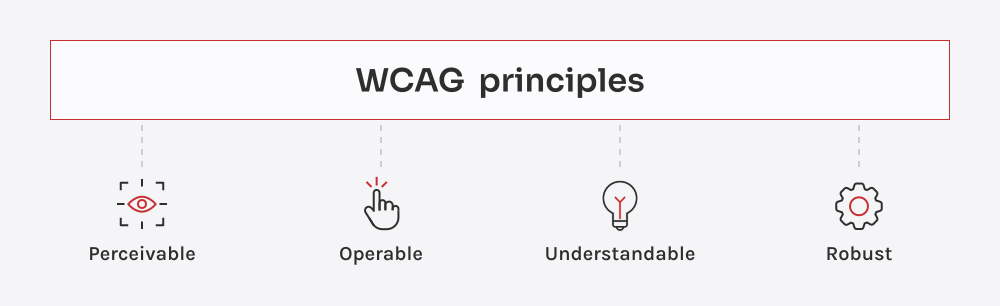
WCAG stands for Web Content Accessibility Guidelines. These are standards created to make websites easier to use for people with disabilities.
Level AA is the most commonly recommended level for businesses. It focuses on making your website accessible for people who may have:
- Vision impairments (low vision, color blindness)
- Hearing impairments
- Mobility challenges
- Cognitive or neurological differences
In simple terms:
It means your website should be usable by more people, not just fully able-bodied users.
Why Are People Talking About This Now?
Accessibility has become a bigger focus because:
- More users rely on assistive tools (like screen readers)
- Lawsuits related to ADA (Americans with Disabilities Act) are increasing
- Businesses want to be more inclusive (and protect themselves legally)
So when clients ask about WCAG, they’re usually thinking about:
- Legal protection
- User experience
- Doing the “right thing”
Does Having an Accessibility Widget Make You Compliant?
Short answer: No, not fully.
You’ve probably seen those little icons on websites (usually a blue or yellow circle with a person symbol). These tools can help users adjust things like:
- Text size
- Contrast
- Readability
BUT… they do not fix underlying issues in your website.
For example:
- If images don’t have proper descriptions (alt text), a screen reader still can’t understand them
- If your site structure is messy, navigation is still confusing
- If buttons aren’t labeled correctly, assistive tools can’t interpret them
Think of widgets as a helpful add-on, not a full solution.

What Actually Makes a Website More Accessible?
Here are some of the big wins that move a site closer to WCAG 2.1 Level AA:
✅ Clear, readable text
- Good contrast between text and background
- Easy-to-read fonts
- Logical headings (H1, H2, H3)
✅ Image descriptions (Alt Text)
- Helps screen readers explain images to users
✅ Keyboard navigation
- Users can navigate without a mouse
✅ Proper labeling
- Buttons, links, and forms clearly describe what they do
✅ Consistent layout
- Predictable navigation and structure
Notice something?
These are also just… good website practices.
Is Any Website 100% Compliant?
This is where things get real. Full compliance is very difficult to guarantee.
Even large corporations are constantly updating and improving accessibility.
That’s why most businesses focus on:
- Making reasonable improvements
- Following best practices
- Showing a good-faith effort
What This Means for Small Business Owners
If you’re a small business owner, this can feel overwhelming fast.
You might be thinking:
- “Do I need to rebuild my entire site?”
- “How much is this going to cost?”
- “Where do I even start?”
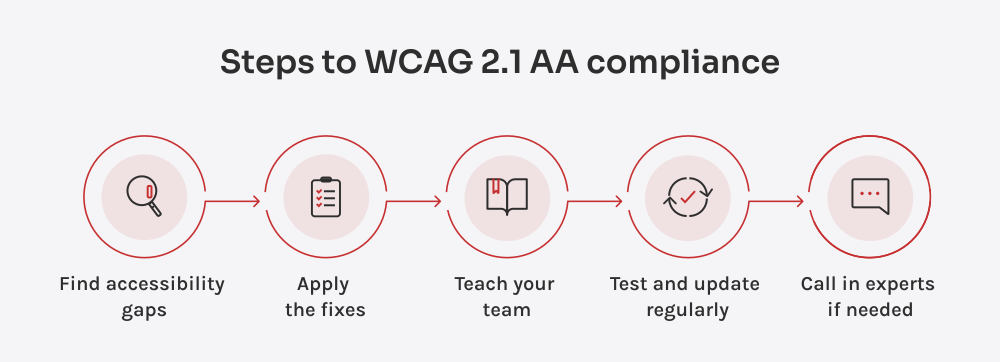
The truth is: You don’t need to do everything at once.
A better approach is:
- Identify the biggest accessibility gaps
- Fix high-impact issues first
- Improve over time
Where I Come In
This is exactly the kind of situation where having someone guide you can make a huge difference.
Instead of:
❌ Guessing what matters
❌ Installing random plugins and hoping for the best
❌ Spending money in the wrong places
I help you:
✔ Understand what actually applies to your site
✔ Prioritize the fixes that matter most
✔ Improve accessibility without overcomplicating things
Because just like marketing… Not every solution is right for every business.
Final Thoughts: Progress Over Perfection
Accessibility isn’t about being perfect—it’s about being intentional.
Every improvement you make:
- Helps more people use your site
- Builds trust with your audience
- Strengthens your business long-term
If you’ve been feeling overwhelmed by WCAG requirements, you’re not alone—and you don’t have to figure it out by yourself.
Let’s simplify it together.

